Create Multiple QR Codes Quickly and Easily
Creating QR codes one at a time can be frustrating when you need dozens, hundreds, or even thousands of them. Whether you're managing product labels, event tickets, marketing campaigns, business cards, or inventory, a bulk QR code generator can save significant time and reduce manual work.
Instead of generating each QR code separately, you can create multiple unique QR codes in one batch. This makes QR code management faster, more organized, and easier to scale.
What Is a Bulk QR Code Generator?
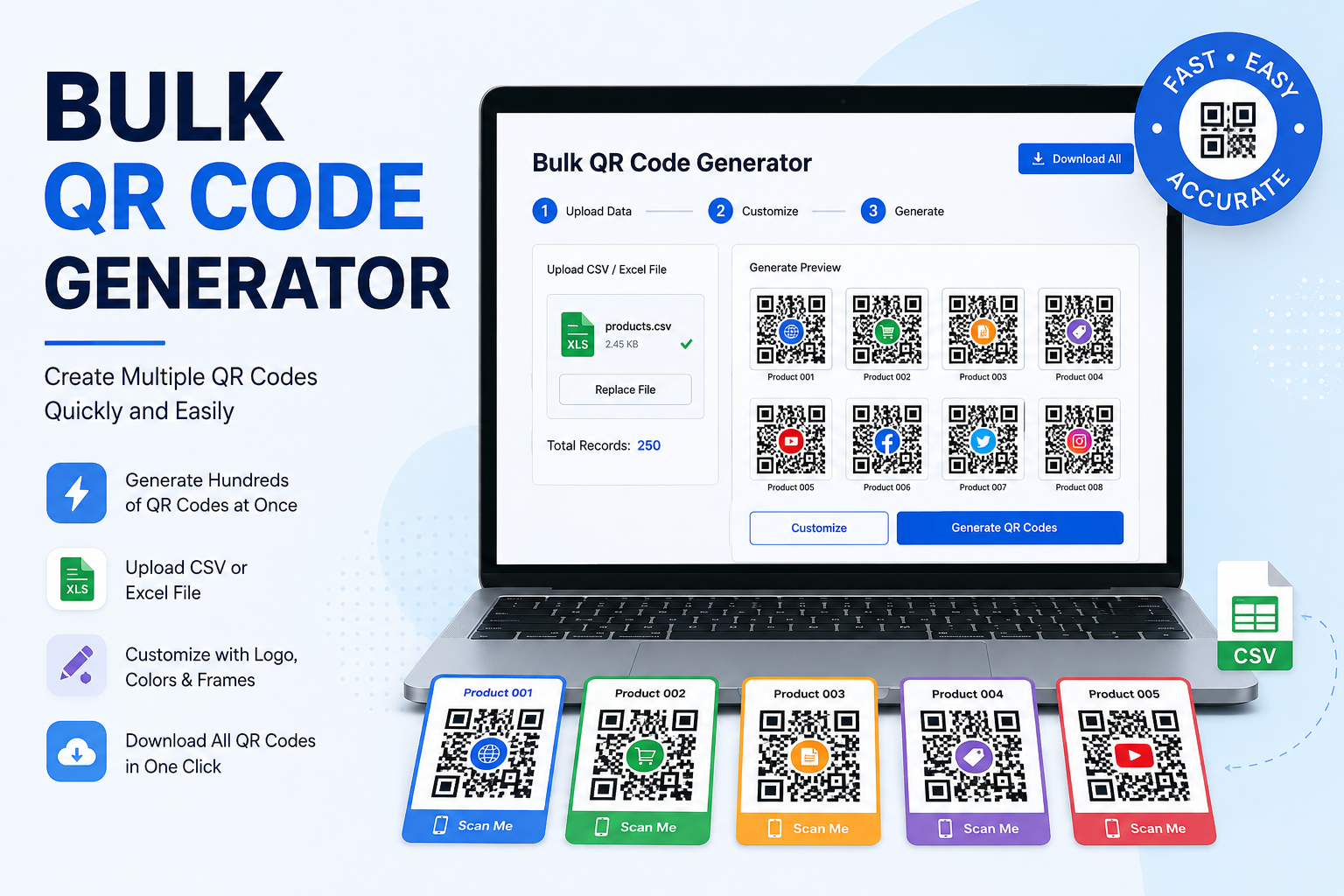
A bulk QR code generator is a tool that allows you to create many QR codes at the same time from a list of data.
For example, instead of manually creating a QR code for every product, you can upload or enter a list containing product names, URLs, IDs, or other information. The generator processes the data and produces a separate QR code for each entry.
Depending on the tool, you may be able to generate QR codes from:
- Website URLs
- Product IDs
- Contact information
- Text
- Email addresses
- Phone numbers
- Social media profiles
- Payment links
- Inventory numbers
- Event registrations
- Digital documents
Why Use a Bulk QR Code Generator?
When you're working with a large number of QR codes, manual creation isn't practical. A bulk generator helps automate the process and makes large QR code projects much easier to manage.
1. Save Time
Generating QR codes individually can take hours. Bulk generation lets you process many entries at once, allowing you to focus on other important tasks.
2. Reduce Manual Errors
Copying and pasting information repeatedly increases the chance of mistakes. Bulk QR code generation can help keep your data consistent by using a structured list or spreadsheet.
3. Handle Large Projects
Businesses often need QR codes for hundreds or thousands of products, assets, documents, or customers. A bulk generator is designed to make these larger projects more manageable.
4. Keep Your Data Organized
Many bulk QR code tools allow you to work with spreadsheet-style data. This makes it easier to match each QR code with its corresponding product, URL, ID, or other information.
5. Improve Business Efficiency
QR codes are used across many industries. Automating their creation can simplify workflows in retail, logistics, marketing, education, events, hospitality, and more.
Common Uses for Bulk QR Codes
Bulk QR codes can be useful in a wide range of situations.
Product Labels
Businesses can create a unique QR code for every product. Customers can scan the code to access product information, instructions, specifications, or a product page.
Inventory Management
Unique QR codes can be assigned to inventory items, equipment, or assets. Employees can scan them to quickly identify or track items.
Events and Tickets
Event organizers can generate individual QR codes for attendees, tickets, registrations, or invitations. This can make check-in faster and more convenient.
Marketing Campaigns
Marketing teams can create QR codes for different campaigns, landing pages, promotions, or locations. Each code can direct users to a specific online destination.
Business Cards
Companies can generate QR codes containing contact details or links to professional profiles. This provides an easy way for people to save or access information using their phones.
Restaurants and Hospitality
Restaurants can use QR codes for menus, ordering systems, promotions, feedback forms, and customer loyalty programs.
How Does Bulk QR Code Generation Work?
The process is usually straightforward.
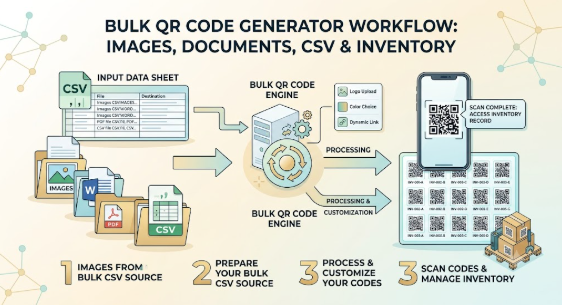
Step 1: Prepare Your Data
Create a list containing the information you want to turn into QR codes. This could be a collection of URLs, product numbers, contact details, or other data.
Step 2: Upload or Enter the Data
Depending on the generator, you may be able to upload a CSV or spreadsheet file, paste your data, or enter multiple records directly.
Step 3: Customize Your QR Codes
Some tools allow you to customize the appearance of your QR codes. You may be able to add a logo, change certain design elements, or select different sizes.
Step 4: Generate the QR Codes
Once your data is ready, the generator creates a unique QR code for each entry.
Step 5: Download and Use Them
After generation, you can download the QR codes and use them on labels, packaging, posters, tickets, documents, or digital campaigns.
Static vs. Dynamic QR Codes
Before creating a large batch of QR codes, it's important to understand the difference between static and dynamic QR codes.
Static QR codes contain information directly in the code. Once created, the information generally can't be changed without generating a new QR code.
Dynamic QR codes typically point to a destination that can be changed later. Depending on the service, they may also provide features such as scan tracking and analytics.
The right option depends on your project. If the information will remain unchanged, static QR codes may be sufficient. If you expect to update destinations or monitor scans, dynamic QR codes may be more useful.
Tips for Creating Bulk QR Codes
Generating hundreds of QR codes is only useful if they're reliable and easy to scan. Keep these tips in mind:
Test your QR codes. Before printing a large batch, scan a sample to make sure the codes work correctly.
Keep your data organized. Use clear filenames or identifiers so you can easily match each QR code with the correct item.
Use sufficient resolution. QR codes should remain sharp enough to scan, especially when they're being printed.
Don't make them too small. A QR code needs to be large enough for a phone camera to recognize it easily.
Maintain good contrast. Clear contrast between the QR code and its background generally improves scanning reliability.
Keep a backup of your source data. Store the original spreadsheet or dataset so you can recreate the QR codes if needed.
Choosing the Right Bulk QR Code Generator
Not every QR code generator offers the same features. Before choosing a tool, consider what your project actually requires.
Look for features such as:
- Bulk data import
- CSV or spreadsheet support
- Multiple QR code formats
- Custom designs and logos
- High-resolution downloads
- Batch downloads
- Error correction options
- Dynamic QR code support
- Scan analytics
- Easy file organization
- Reliable performance for large batches
The best solution is one that fits the size and purpose of your project without adding unnecessary complexity.
Final Thoughts
A bulk QR code generator can turn a time-consuming manual process into a simple, repeatable workflow. From product labels and inventory tracking to events and marketing campaigns, creating QR codes in batches makes it easier to manage projects at scale.
If your business regularly needs multiple QR codes, moving from individual generation to a bulk workflow can save time, reduce errors, and make your processes more efficient.
The key is to prepare your data carefully, choose the right type of QR code, test your results, and keep your generated files organized. With the right approach, bulk QR code generation can become a simple part of your everyday digital workflow.